
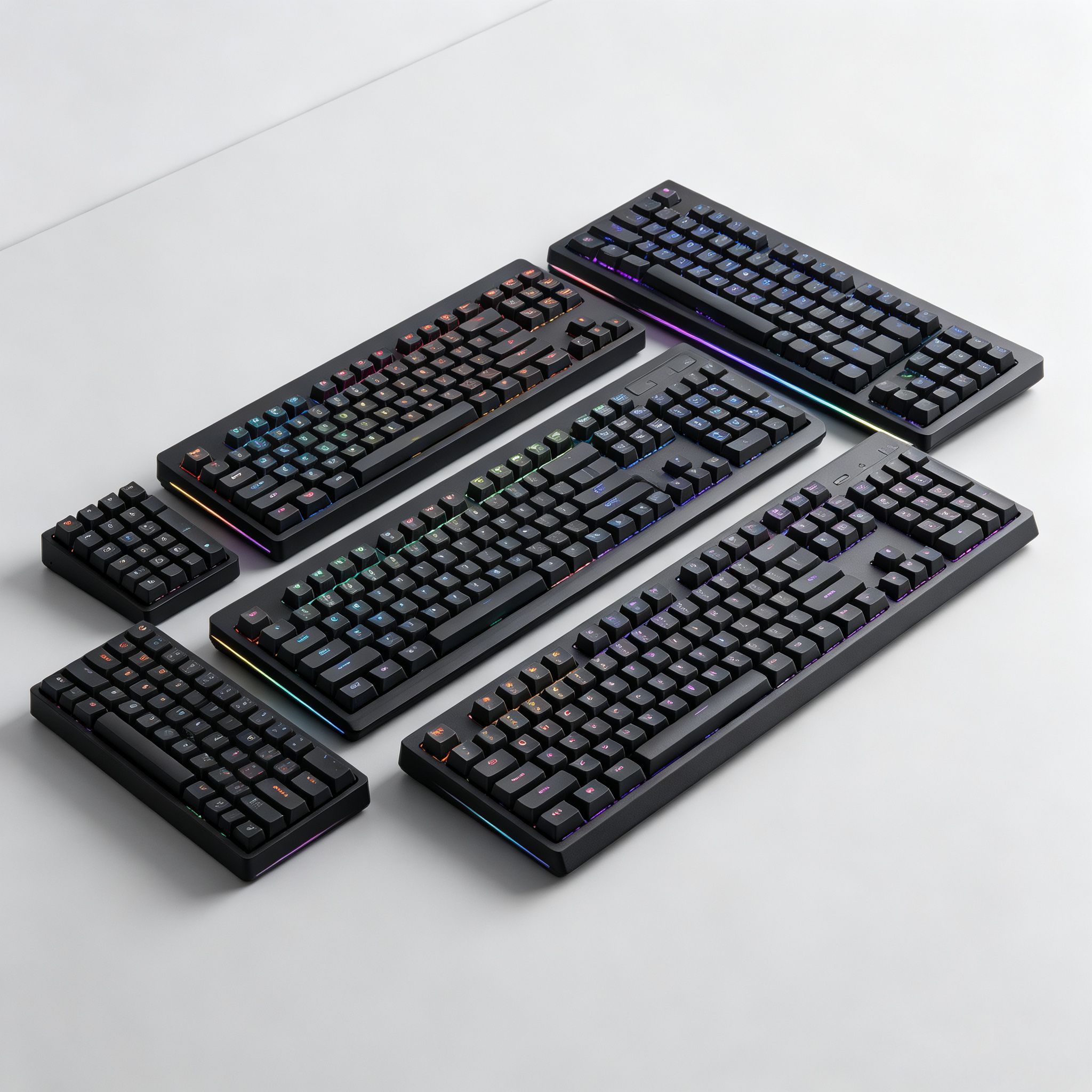
When shopping for mechanical keyboards, you will see percentage labels like 40%, 60%, 75%, 80%, 96% and 100%. These numbers describe how much of a full‑size keyboard is kept. Smaller layouts remove certain key groups and move missing functions to an Fn secondary layer. Many new buyers get confused by all these different sizes. In this article, we break down every common layout, their pros and cons, and who each size is best for.
What do these percentage numbers mean?
The percentage is relative to a standard 104‑key full‑size keyboard. A 100% keyboard keeps every section: main typing area, F‑function row, navigation cluster, and number pad. Every smaller layout removes some keys to shrink the desk footprint. Most secondary functions are accessed by holding the Fn key. Note that percentage labels are rough guidelines; key counts can vary slightly between brands.
100% Full‑Size Layout (104‑108 keys)
This is the traditional full‑size keyboard. It includes all key sections: F1‑F12 function keys, arrow keys, navigation keys, and the right‑side number pad.
Pros: Complete key set, no Fn‑layer combinations needed. Number pad is perfect for data entry, accounting, spreadsheets and fast numeric input. Key spacing follows familiar standards with almost zero learning curve.
Cons: Takes up large desk space. Limits mouse movement room, especially for low‑DPI gaming. Not easy to carry.
Best for: Office workers, accountants, people who frequently type numbers, users with large desks, anyone who dislikes learning new key positions.
Not ideal for: Small desks, travel, competitive FPS gamers needing wide mouse movement.
96% / 98% Compact Full‑Size Layout (96‑98 keys)
This layout keeps the number pad but compresses the navigation and function areas, removing empty gaps between key zones. It is shorter than 100% while retaining the numeric keypad.
Pros: Keeps number pad for numeric input, saves desk space compared with full‑size. Retains dedicated F‑row and arrow keys. Great compromise for users who want a numpad but hate large keyboards.
Cons: Key spacing is tighter. Some non‑standard key positions may cause occasional mis‑presses.
Best for: Financial workers, data entry users, programmers who need a numpad but have limited desk space.
Not ideal for: People who prefer traditional wide‑spaced key layout.
80% TKL Tenkeyless Layout (87‑88 keys)
80% removes only the right‑side number pad. All other key sections stay unchanged: F‑row, arrow keys and navigation cluster are fully present.
Pros: Cuts desk space without changing familiar key positions. No need to learn Fn‑layer shortcuts. Balances function and compact size. Very popular for both gaming and office work.
Cons: Still larger than 75% or 60% keyboards. No number pad for quick numeric input.
Best for: Most general users, gamers, people who rarely use number pads. Great for small‑to‑medium desks.
Not ideal for: Users with frequent number‑pad input needs, or people seeking maximum portability.
75% Layout (82‑84 keys)
75% is one of the most popular modern compact layouts. It keeps the F‑function row, dedicated arrow keys and partial navigation keys, while removing the number pad and compressing the frame. Many models add a volume knob or small display on the top‑right corner.
Pros: Much smaller footprint than 80% layout. Retains most frequently‑used keys, reducing reliance on Fn combinations. Good for saving desk space while keeping high productivity.
Cons: Tighter key spacing. Some non‑standard key sizes limit aftermarket keycap options. New users may experience occasional mis‑presses at first.
Best for: Mixed‑use users, programmers, gamers, people wanting clean desktops while keeping arrow keys and F‑keys. This is the sweet‑spot for many enthusiasts.
Not ideal for: People who dislike cramped key spacing.
65% Layout (67‑68 keys)
65% removes the F‑function row, but keeps dedicated arrow keys and a small set of navigation keys like Delete, Page Up and Page Down. All F‑row functions are handled via Fn layer.
Pros: Very small footprint, good portability. Keeps independent arrow keys for editing and navigation, so you do not need to memorize complex Fn combos for moving the cursor.
Cons: No physical F‑row. You need Fn to access F1‑F12. Key spacing is tight.
Best for: Competitive gamers, writers, programmers, laptop users who want compact size but still need real arrow keys.
Not ideal for: Users who heavily rely on F‑keys for work without wanting to use Fn combinations.
60% Layout (60‑61 keys)
This is the most common ultra‑compact mainstream layout. It keeps only the core typing area. It removes the F‑row, arrow keys, navigation cluster and number pad. All missing functions are accessed by holding Fn.
Pros: Minimum desk footprint, leaves maximum room for mouse movement. Highly portable for backpack carry. Clean minimalist desk look. Huge selection of custom keycaps and modification parts.
Cons: Steep learning curve. You must memorize Fn‑layer shortcuts for arrows, delete, home, end and F‑keys. Daily spreadsheet and text editing can feel slower at first.
Best for: Competitive FPS gamers, frequent travelers, programmers, people who love minimalist desk setups.
Not ideal for: Casual office users, people who work often with spreadsheets, users unwilling to learn new shortcut combinations.
40% Layout (40‑52 keys)
This is an ultra‑small niche layout for keyboard enthusiasts. Only core typing keys remain. Almost all numbers, symbols, F‑keys, arrows and navigation keys require multi‑layer Fn combinations. Most models use orthogonal straight‑aligned keys instead of traditional staggered rows.
Pros: Extremely tiny size, very portable. Great for modding and custom keyboard hobbyists.
Cons: Very high learning curve. Almost no out‑of‑the‑box usability for regular office work. Mostly sold as custom kits rather than mass‑market retail products.
Best for: Keyboard hobbyists, advanced programmers, people who enjoy custom mechanical keyboard projects.
Not ideal for: Regular office or casual gaming users.
How to make your final choice
There is no universally perfect layout. Your decision depends on real‑world usage, desk size, grip habit and willingness to learn Fn‑layer shortcuts.
Choose 100% if: You regularly use number pad for data entry, you have plenty of desk space, and you want zero learning curve.
Choose 96%/98% if: You need a number pad but want to save desk space.
Choose 80% TKL if: You rarely use number pad, you want to save desk space, but you do not want to learn Fn shortcuts. It is the safest all‑around pick for new mechanical keyboard users.
Choose 75% if: You want further size reduction, but still keep dedicated F‑row and arrow keys. It balances portability and productivity very well.
Choose 65% if: You want compact size and still need physical arrow keys, but you are okay with Fn‑layer F‑row.
Choose 60% if: You need maximum desk space for mouse movement, you travel often, and you are willing to get used to Fn‑layer shortcuts.
Choose 40% only if: You are a keyboard enthusiast who enjoys custom modding and are prepared for a steep learning curve.
Final thoughts
Smaller layout does not mean higher quality. A tiny 40% keyboard is not better than a full‑size keyboard. The right layout depends on your workflow, desk size, and how much you are willing to adapt to new key positions. Before buying, think about which keys you press every single day. If you use number pad or arrow keys constantly, avoid overly‑compact layouts just for aesthetics.